
The Global WebPhone allows you to initiate a call (Click2Call) from your web browser absolutely free of cost between two WebPhone users. You can also start saving on your International Calls with no local carrier charges as with the WebPhone you can initiate a web based calls to your existing VOIP service provider.
You can accept the calls on WhizCall or any other IP Phone, forward the call to any landline or mobile phone. You can also enable usual call routing features like Call Forwarding, Call Transfer, etc.
From business perspective now you can deploy the Global WebPhone on your website and allow your customers to initiate SIP based calls without the need of any equipment and thus offer interactive one on one support to your customers or your website visitors.
How to Use
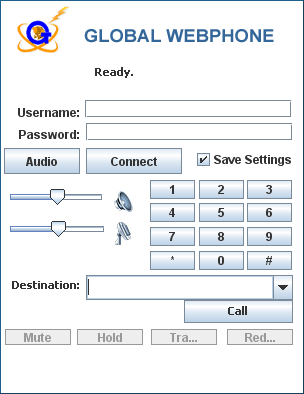
Using Global WebPhone is simple and easy. Follow the instructions below to makecalls from the Global WebPhone:
- Enter Username and Password that you have received from Global Telelinks during sign up.
- Click on the Connect button and you will receive a message as “Authenticated Successfully”
- You are ready to make calls.
- To Call, enter the destination phone number with the country code like the following
example (+91 99865xxxxx)
Please be advised that you need java enabled on your system to use the Global WebPhone.
If you do not have java on your system, you can download it from here Download Java. Download Java.
Alternatively you can download a soft phone to make VOIP calls from here
 |